How to Use Vending Machines in Ventures
How to use Vending Machines in Ventures is easiest once you understand the specific Venture rule behind it. Vending Machines are one of the main ways to turn scavenged Venture materials into usable weapons because normal weapon crafting is disabled inside the mode.
The seasonal reset is what makes this mode different from ordinary Stonewood through Twine progression. Gear, resources and mission access have to be rebuilt inside the Venture zone, so small decisions about materials, durability and mission choice matter much more than they do in normal campaign play.
How to use Vending Machines in Ventures
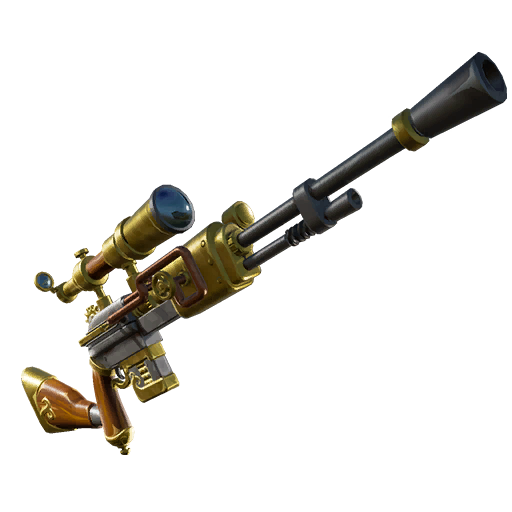
How to use Vending Machines in Ventures Image Epic Games.
How to use Vending Machines in Ventures Image Epic Games.
The practical route for how to use Vending Machines in Ventures is to work through the steps below in order. Ventures deliberately separates seasonal progression from the normal campaign, so using the correct Venture map, backpack and mission level matters more than trying to force normal Twine habits into the mode.
- Find a Vending Machine while exploring a Venture mission.
- Interact with it and inspect every available weapon before spending resources.
- Compare the weapon level, rarity and weapon type with what you already carry.
- Pay using resources gathered in the current Venture season.
- Save the new weapon for the mission role where it gives the biggest upgrade.
What actually matters while you do it
While working on how to use Vending Machines in Ventures, keep the seasonal rules in view rather than focusing on one menu or item. Vending Machines can offer multiple higher-rarity weapons. They use Venture inventory materials, so main campaign resources cannot pay the cost.
A good purchase can be worth repairing later rather than immediately replacing when durability falls. That is why how to use Vending Machines in Ventures becomes much more consistent when you plan around the current mission instead of assuming every Venture run should be played exactly the same way.
Weapon durability and resource decisions
Weapon management is a central part of how to use Vending Machines in Ventures because Ventures does not let you fall back on normal weapon crafting. A strong looted or purchased weapon is worth protecting, but only while it is still appropriate for your current mission range. Watch durability before the defence starts, and decide whether a repair is cheaper than replacing the weapon with a better drop.
Do not spend every mechanical part, mineral powder or other useful ingredient on weapons. Those same seasonal materials may be needed for trap crafting or later purchases. The safest pattern is to keep one dependable main weapon, one backup and a resource reserve large enough to finish the objective even if the map does not give you perfect loot.
Common problems and how to avoid them
- Buying a weapon simply because it has higher rarity while ignoring whether the type suits your loadout.
- Burning scarce crafting materials needed for traps on a tiny weapon upgrade.
- Expecting a Vending Machine purchase to become a permanent schematic in your main campaign.
If how to use Vending Machines in Ventures still seems to be going wrong, check the simple things first: make sure you are actually inside the active Venture zone, confirm that the mission is within the range currently unlocked by your Venture Level, and check whether the current seasonal modifier changes the strategy you normally use. Those three checks solve a surprising number of Ventures problems.
A reliable routine for the rest of the season
Once how to use Vending Machines in Ventures is working, keep the same disciplined routine for later Venture missions. Read the active quests, pick an appropriate mission, gather only the resources you need, protect valuable weapons before they break and finish the main objective before chasing optional progress. The seasonal climb becomes much less frustrating when every run has a clear purpose.
For the official description of the system and its current rules, see Epic Games. The important part is that how to use Vending Machines in Ventures fits into a seasonal mode that is designed to reset, so temporary gear should help you reach permanent rewards rather than become something you are afraid to use.
Players usually make how to use Vending Machines in Ventures harder by treating Ventures like normal campaign progression. In practice, how to use Vending Machines in Ventures is much simpler when you accept the separate backpack, separate Venture Level and seasonal mission unlocks, then make every decision around the current run rather than your main account inventory.
The final check for how to use Vending Machines in Ventures is whether your next mission will leave you better prepared than the previous one. If it advances Venture XP, challenge progress, useful gear or seasonal resources without risking the objective, it is doing its job. That is the repeatable approach that makes how to use Vending Machines in Ventures useful beyond a single mission.