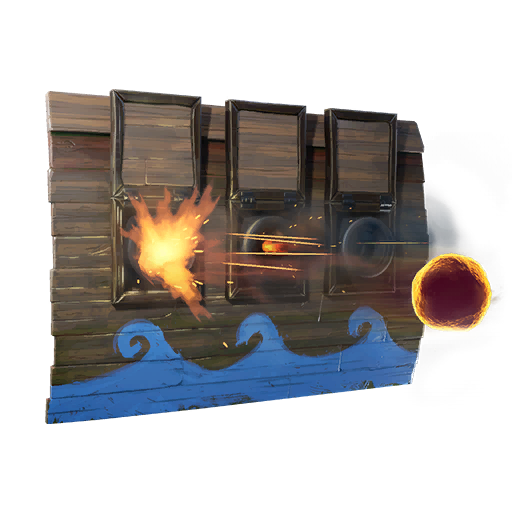
How to Repair Weapons in Ventures
To repair weapons in Ventures, find a Repair Bench inside a Venture mission and spend materials from your seasonal Venture backpack to restore the durability of a weapon worth keeping. Normal campaign weapon crafting is disabled, so a good weapon obtained from loot or a Vending Machine can be particularly valuable while you work through the season.
Repairing is not always the best choice. The right decision depends on how much durability remains, whether the weapon still suits the current mission difficulty, what the bench charges and whether you could obtain a better replacement. Those are the decisions this guide helps you make.
How to repair a weapon at a Venture Repair Bench

How to repair weapons in Ventures Image Epic Games.
Check durability before you commit to a defence. If an important weapon is running low, search the mission for an available Repair Bench and interact with it. The bench uses materials gathered inside Ventures, not your normal Homebase crafting supplies.
- Inspect the durability of the weapons you currently carry and decide which is worth preserving.
- Find an available Repair Bench during a Venture mission, ideally before starting the main objective.
- Interact with the bench and check whether the weapon is eligible for repair.
- Review the resource cost shown by the bench against the materials in your Venture backpack.
- Repair when the cost makes sense, and keep a backup weapon available for the rest of the mission.
Where do the repair materials come from?
The separate Venture backpack holds the materials you gather in the seasonal zone. Vending Machine purchases, trap crafting and weapon repairs can compete for that limited supply. Do not assume that a large reserve in your campaign Storage will cover a repair cost in Ventures.
Harvest and loot while travelling to objectives, and aim to maintain a small reserve rather than exhausting everything on a single repair. The precise ingredients and cost shown at a Repair Bench depend on the item and the current game interface; trust the displayed requirement instead of relying on an old fixed recipe.
When is a repair worth more than a replacement?
A repair can be a good use of materials when the weapon is still effective against your current enemies, you know its handling and you expect to need it for several missions. This is especially relevant if you bought a strong weapon from a Vending Machine and have not found another comparable option.
Replacement may make more sense once you have unlocked higher mission ranges and are finding significantly stronger loot. Spending scarce materials repeatedly on a weapon that struggles against current enemies will not solve the underlying problem. See our guide to obtaining Venture weapons for alternative sources.
What if you cannot repair your weapon?
- You have not found a Repair Bench in the current mission; the crafting menu is not a substitute.
- You do not have enough materials in your seasonal Venture backpack to meet the displayed cost.
- The weapon has already become unusable or is not eligible for the interaction you are attempting.
- You are examining campaign resources rather than the separate Venture inventory.
If a bench is not nearby, do not spend the entire mission looking for one while the defence is at risk. Keep a backup weapon and use the available loot or Vending Machines when you need a replacement. Our Repair Bench locations guide describes a more deliberate way to search.
Do repairs carry over between Venture seasons?
Repairs extend a weapon’s usefulness during the current season, but they do not turn the weapon into permanent campaign inventory. The seasonal Venture backpack resets at the next rotation, along with the weapons it contains. It is worth using good equipment while it can help you earn lasting progression rewards.
The priority should always be completing the mission objective. A repair that leaves you unable to craft the traps needed to defend a difficult objective may be worse than using a backup weapon for one run. Budget resources for the whole mission, not only your favourite gun.
Epic introduced Repair Benches alongside the Venture weapon system in its official Ventures overview. The broad rules are stable across seasonal rotations, but the available loot and mission difficulty change. Check the current bench interface for the actual repair conditions.
The practical approach is to watch durability early, find a Repair Bench while exploring and repair only the weapons that still offer good value for their cost. Keep enough seasonal materials for your defences and another weapon available in case you cannot repair before the next fight.