How to Find Repair Benches in Ventures
To find Repair Benches in Ventures, explore the current mission map for the Repair Bench interactable. Benches are part of Venture missions and let you spend resources from your seasonal backpack to restore the durability of eligible weapons. They are not an upgrade service you can open from the regular Homebase menus.
The sensible time to look for one is before an important weapon reaches very low durability. A brief search while you are already gathering supplies is more efficient than abandoning an active objective because your only good weapon is nearly broken.
Where to look for Repair Benches in Venture missions

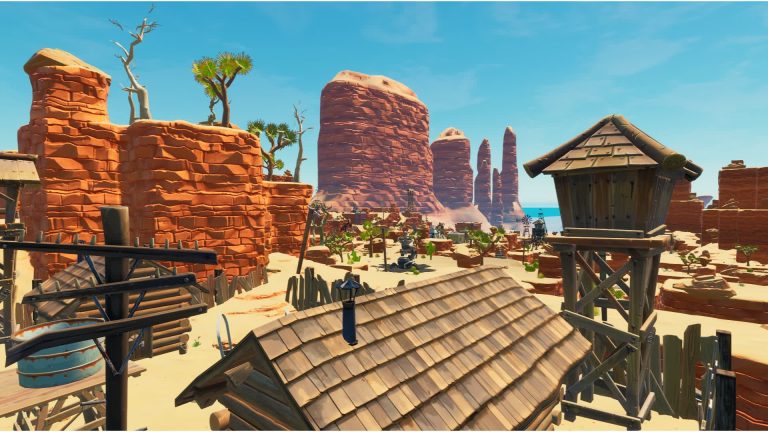
How to find Repair Benches in Ventures Image Epic Games.
Repair Benches are world objects within the Venture environment. Their exact locations depend on the mission map, so a static list of coordinates is not reliable for every season or zone. Begin by scanning developed areas and points of interest as you move towards the main objective, rather than crossing the same empty ground repeatedly.
- Check the durability of your current weapon as soon as you enter a mission.
- Review the map and explore obvious structures or points of interest while collecting materials.
- Look for the Repair Bench object and its interaction prompt as you move through accessible areas.
- If you find a bench, inspect the repair cost before spending seasonal materials.
- Mark or remember its location if you expect to need it before starting the objective defence.
What a Repair Bench does
Epic’s Ventures introduction explains why Repair Benches exist: normal weapon crafting is restricted inside the seasonal mode, so keeping a strong found or purchased weapon usable matters. A bench restores durability in exchange for resources that you have gathered within Ventures.
Repair Benches do not create permanent weapon schematics and do not draw from your campaign Storage. The equipment you repair remains part of your separate Venture backpack. If your mission is nearly finished and your weapon is still usable, it may be better to save the materials for the next objective.
How to search without wasting the mission
Combine the search with something useful: harvesting, opening loot containers or checking Vending Machines while moving toward the objective. Avoid walking back over areas you have already explored without a reason. You may find a replacement weapon before you find a bench, in which case the repair is no longer urgent.
A Repair Bench is a helpful option rather than a guarantee that every mission gives you one at a convenient location. If you cannot identify one, focus on completing the mission with your available weapons and loot. Our Venture weapon repair guide covers how to decide whether a repair is worthwhile once you find a bench.
What to do before you interact
- Check which weapon you intend to repair and how much durability it has remaining.
- Inspect the displayed repair requirements; do not assume the cost from a previous season still applies.
- Make sure the resources are in your Venture backpack, not your normal campaign inventory.
- Leave sufficient materials for building and crafting traps if the main mission still needs defending.
If you have several damaged weapons, prioritise the one most likely to help you complete the remaining objectives. A familiar weapon with suitable damage and handling may deserve the repair over a weak item that you expect to replace soon. The cost of keeping a weapon should be judged against the progress it enables.
Are Repair Benches still useful late in a season?
Yes, as long as you are using looted or purchased weapons that remain effective against your mission tier. Later Venture missions can be demanding, so preserving a particularly useful weapon can help. The decision becomes less attractive if a better replacement is readily available for fewer materials.
Remember that the Venture inventory resets at the end of the season. A repaired weapon helps you progress now; it does not become a permanent item in your main campaign. For guidance on choosing replacements, see how to get weapons in Ventures.
The existence and purpose of Repair Benches are covered by Epic’s official Ventures introduction. Exact spawn positions and repair costs should be checked in the live mission rather than copied from an old map. That distinction is especially important as seasonal zones rotate.
The most reliable approach is to check durability early and search for Repair Benches while doing normal mission preparation. If you find one, inspect the cost and repair a weapon that is still worth keeping. If you do not, use your backup or another source of loot and protect the mission objective first.