How to Replace Broken Weapons in Ventures
If a weapon breaks in Ventures, you cannot simply craft a new copy from its main campaign schematic. Normal weapon crafting is disabled inside the seasonal zone, so your replacement must come from looting the world or buying another weapon from a Vending Machine. Checking durability before an important defence is the best way to avoid being caught without a usable option.
Repair Benches provide another route before a good weapon becomes unusable: you can spend seasonal materials to restore its durability. But repairs are not always worth the cost, particularly once your Venture mission range has advanced beyond the weapon’s effective level.
How to replace a weapon that is no longer usable

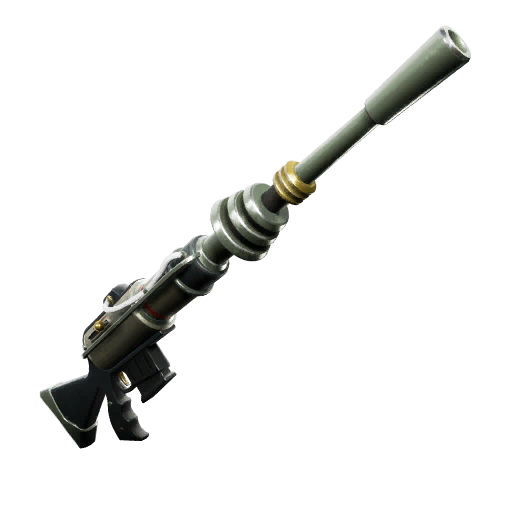
How to replace broken weapons in Ventures Image Epic Games.
Start with the weapons and materials already in your Venture backpack. If you still have a working backup, use it while exploring for a replacement. If you find a Vending Machine, compare the available weapons with your current mission difficulty before paying for an upgrade.
- Check whether the weapon can still be repaired at a Repair Bench, if a suitable bench is available.
- If repairing is not possible or worthwhile, equip another usable weapon from your Venture backpack.
- Search containers and chests as you move around the mission for a replacement.
- Check Vending Machines for a more deliberate weapon choice, using seasonal resources.
- Carry a backup into the next mission so a durability failure does not halt your progress.
When should you repair instead of replace?
Repairing usually makes sense when the weapon is strong enough for your present enemies and the displayed material cost is reasonable. A favourite weapon from a Vending Machine can be worth maintaining through several missions if it remains useful.
However, do not treat repairs as an automatic investment. If better weapons have become available as you unlock higher mission tiers, it may be more efficient to replace a weak early-season gun. Our repair guide explains how to assess the cost, and the bench-location guide covers where to search.
Where to get a replacement weapon
Weapons can be found as loot during Venture missions, or purchased from the machines Epic added for the mode. Vending Machines present several weapon options for scavenged materials, so they can be useful when your current loadout has an obvious weakness. An exact weapon selection cannot be guaranteed from one mission to the next.
Before buying, compare the weapon type and level with what your Hero loadout supports. You may want a dependable ranged option, a different damage role or a weapon better suited to a particular season modifier. Do not empty the seasonal material reserve needed for trap crafting just to gain a minor upgrade.
How to avoid running out of usable weapons
- Inspect weapon durability at the beginning of each mission and before major combat.
- Keep at least one backup rather than relying on a single favourite weapon.
- Check Vending Machine offers when they are on your route, even if you do not need a replacement immediately.
- Balance weapon spending with materials needed for the objective, traps and repairs.
A mission can be completed with imperfect equipment if the team and defence are well prepared. But entering a difficult objective with one nearly broken weapon is an unnecessary risk. Loot as you travel and reassess your inventory before activating timed waves.
Will a replaced Venture weapon carry into the next season?
No. Purchased and looted weapons belong to the separate Venture backpack and reset with the season. Replacing a weapon is worthwhile because it helps finish current missions, earn Venture XP and reach lasting reward milestones, not because it preserves an item permanently.
The weapon economy is different from the permanent campaign. Epic’s official Ventures introduction explains that crafting is disabled for weapons while Vending Machines and Repair Benches are available. The weapons guide covers the wider selection process.
If you are deciding between a repair and a replacement, check the live mission’s material costs, your available loot and the upcoming objective. Those details are more useful than an old recommended weapon list because seasonal modifiers and mission difficulty can change.
Replacing broken weapons in Ventures comes down to maintaining a usable backup, looting seasonal maps and purchasing upgrades only when the value is clear. Repair good weapons before losing them when possible, but move on from outdated gear rather than spending scarce materials to keep it indefinitely.