How to Unlock 160 Missions in Save the World
160 Missions in Save the World sit at the top end of normal Twine Peaks and are where late-game players complete some of the most valuable weekly objectives. If the 160 tiles are not visible, the first number to check is your account Power Level.
You need to reach Power Level 124 to access 160 Missions in Save the World normally. Twine Peaks progression also matters, so an account that has been rushed through zones without developing Survivor Squads can reach a point where the map progression and actual Power Level no longer match.
How to unlock 160 Missions in Save the World

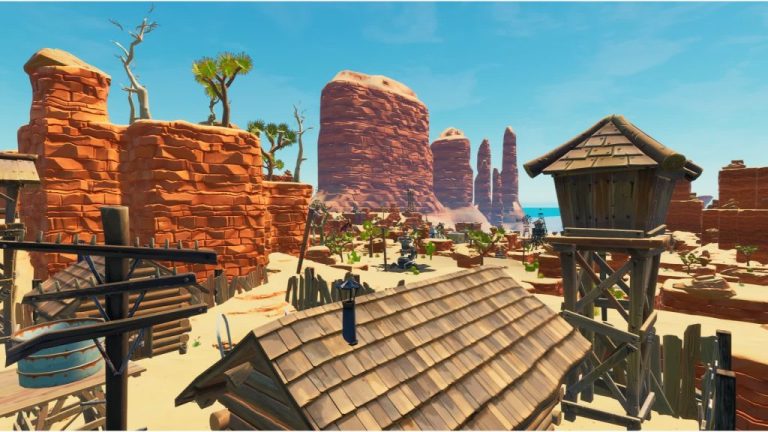
160 Missions in Save the World Image Epic Games.
- Reach Twine Peaks through normal campaign and Storm Shield progression.
- Build and upgrade your Survivor Squads until your account reaches Power Level 124 or higher.
- Progress the Twine Peaks Storm Shield so the upper mission bands are available on your map.
- Return to the Twine Peaks map and move to the highest Power Level mission area.
- Look for missions marked Power Level 160. These rotate with the normal mission cycle.
- If you also want the weekly Supercharger quest, complete Canny Valley through SSD5 and Twine Peaks SSD10 as separate prerequisites.
Why 160 Missions in Save the World are not showing
The usual reason 160 Missions in Save the World are missing is Power Level. Commander Level is not the same thing. A high account level does not substitute for properly built Survivor Squads, and changing a lead or removing upgraded Survivors can drop the Power Level shown on your account.
The other problem is progression. If the top of Twine Peaks is still closed, keep working through your Storm Shield path. Do not confuse being able to join someone else’s high-level party with having the mission band properly unlocked on your own map.
Getting ready before you queue
160 Missions in Save the World punish weak defences much harder than ordinary early Twine missions. Before farming them, make sure your main Hero loadout, weapons and traps are actually evolved and perked for endgame play. Having the tile unlocked is not the same as being comfortably ready for every modifier.
- Read the elemental modifier before choosing building material.
- Check whether the mission is a four-player version with boosted difficulty.
- Bring enough building and crafting materials for a full defence.
- Use traps that match the terrain rather than copying one tunnel everywhere.
- Prioritise mission success if you are progressing a weekly challenge.
160 missions and the weekly Supercharger quest
Unlocking 160 Missions in Save the World and unlocking the weekly Supercharger quest are related but not identical. The weekly system has extra prerequisites: Epic lists Canny Valley campaign progress through SSD5, Twine Peaks SSD10 and Power Level 124. That is why some players can see high-level Twine content before the weekly reward quest behaves as expected.
Epic lists those weekly endgame requirements on the official Supercharger support page. If you are specifically chasing Superchargers, use that checklist alongside your Twine map rather than relying on an old progression video.
One practical rule for 160 Missions in Save the World is to check the reward or upgrade screen before starting a long farming session. Save the World exposes the actual requirement on the current account, which prevents wasting time on an old resource, a locked tier or a mission type that cannot progress the objective.
One practical rule for 160 Missions in Save the World is to check the reward or upgrade screen before starting a long farming session. Save the World exposes the actual requirement on the current account, which prevents wasting time on an old resource, a locked tier or a mission type that cannot progress the objective.
One practical rule for 160 Missions in Save the World is to check the reward or upgrade screen before starting a long farming session. Save the World exposes the actual requirement on the current account, which prevents wasting time on an old resource, a locked tier or a mission type that cannot progress the objective.