Save the World Mobile: Can You Play on iPhone or Android?
Save the World mobile support is still much more limited than Fortnite mobile support as a whole. No. Save the World is not currently available on smartphones or tablets, including iPhone, iPad and Android devices. The current answer is much simpler than many older Save the World guides suggest, but the details still depend on platform support, account setup and the way you launch the mode.
Fortnite itself is available on several mobile platforms, but that does not mean every Fortnite experience is supported there. Epic specifically excludes Save the World from mobile devices. Save the World mobile support is not currently offered on phones or tablets even where other Fortnite experiences are available. Save the World still keeps its own Homebase, campaign quests, Schematics, Survivors and Power Level even though it sits inside the wider Fortnite client.
How Save the World mobile support works

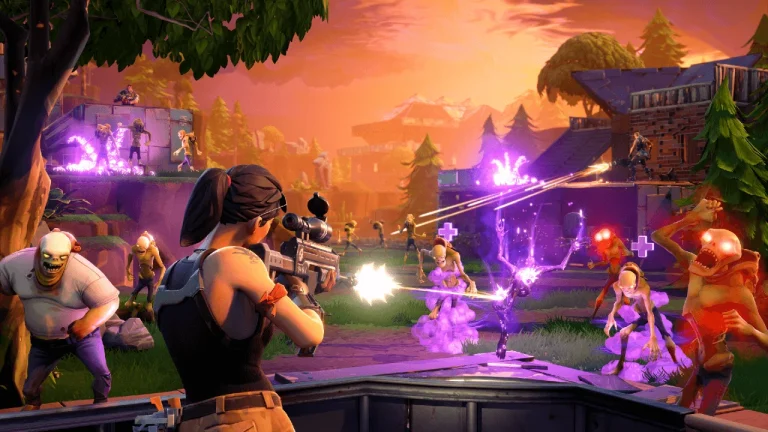
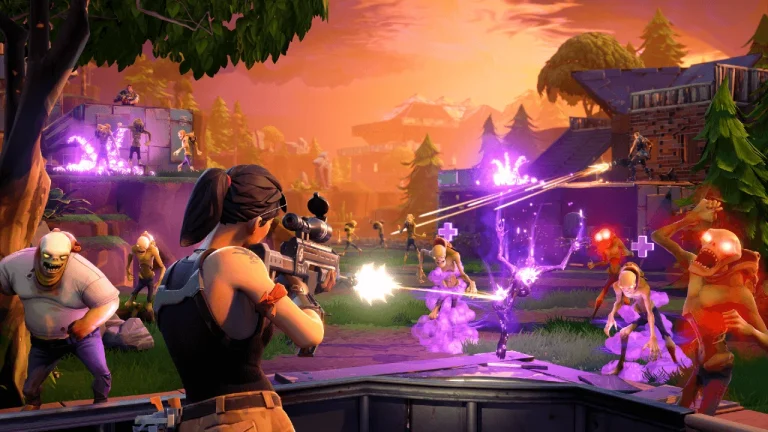
Save the World mobile Image SaveTheWorldDB.
No. Save the World is not currently available on smartphones or tablets, including iPhone, iPad and Android devices. The Save the World mobile limitation applies to iPhone, iPad and Android devices rather than to your Epic account entitlement. Fortnite itself is available on several mobile platforms, but that does not mean every Fortnite experience is supported there. Epic specifically excludes Save the World from mobile devices. That is why old purchase screens and platform lists are no longer a reliable description of how a new player enters the mode today.
Because Save the World mobile is unsupported, seeing Battle Royale on a phone does not mean the PvE campaign should appear beside it. Your Battle Royale level does not control Save the World campaign progression, and moving between supported systems does not create a fresh Homebase when the same Epic account is linked correctly.
Which devices can actually run the campaign
Save the World mobile access is also not restored simply by using the same account that owns progress on PC or console. Before changing settings or reinstalling anything, confirm that Fortnite is updated, that you are signed into the intended Epic account and that the device itself is supported. Those three checks solve or explain a surprising number of access problems.
Steps to use the current setup
- Use PC, PlayStation, Xbox or Nintendo Switch 2 for native Save the World access.
- Sign into the same Epic account if you already play Fortnite on mobile.
- Launch Fortnite on the supported device and select Save the World from Other Experiences by Epic.
- Allow any required Save the World content to download before entering Homebase.
Epic also states that Save the World is not available on mobile through cloud gaming. Cloud services can support Save the World on other device types, but a phone or tablet remains an unsupported target for the mode itself. If you are looking for Save the World mobile play, move to PC, PlayStation, Xbox or Nintendo Switch 2 instead. Read the current on-screen wording when Fortnite presents a download, party or entitlement message because that is more useful than following a screenshot from an older version of the game.
Common problems and fixes
If you can see Battle Royale or other Fortnite experiences on a phone but cannot find Save the World, that is expected behaviour rather than an account entitlement problem. Moving to a supported device is the required fix. Older Save the World mobile guides can be misleading because Fortnite’s broader mobile availability has changed several times while STW support has remained separate. If the problem is broader than STW, test another Fortnite experience as well so you can tell the difference between a Save the World-specific issue and a general connection or account problem.
A lot of Save the World information online was written when the mode still required a purchase or before Switch 2 support existed. Use the date of a guide as context, particularly when it talks about buying access, unsupported hardware or XP systems that were changed during 2026.
What to do next
Once everything is working, let the early Stonewood quests introduce the systems in a sensible order. Complete the campaign objectives, learn how mission rewards work and start improving Survivor Squads instead of trying to max every Hero or Schematic immediately. The Save the World beginner guide is a useful next step from there.
You can also use the missions database and quest database once the campaign starts opening up. Those pages make it much easier to connect a new-player question with the live mission and progression data already on SaveTheWorldDB.
For Save the World mobile, use the current Save the World menus and rewards as your reference point. That keeps this guide useful even when an older interface screenshot or pre-2026 explanation uses different wording for the same part of progression.
The Save the World mobile limitation is confirmed on Epic’s official Save the World page, alongside the currently supported platforms. In short, Save the World mobile play is not available on phones or tablets.