How to Start Ventures in Save the World
How to start Ventures in Save the World begins on the Save the World map, where the currently active seasonal Venture zone appears separately from Stonewood, Plankerton, Canny Valley and Twine Peaks. Select the Venture zone, choose a mission in the range available to your seasonal level and launch it as you would a normal mission. You do not need to reach Twine Peaks or transfer your campaign weapons to begin.
Ventures is a fresh seasonal progression track. It gives you a separate Venture Level, Power and backpack, so even experienced players begin a season with limited weapons and resources. If you are new to the mode, the important first step is learning what you can bring in and what you have to find once you enter.
Starting your first Venture mission

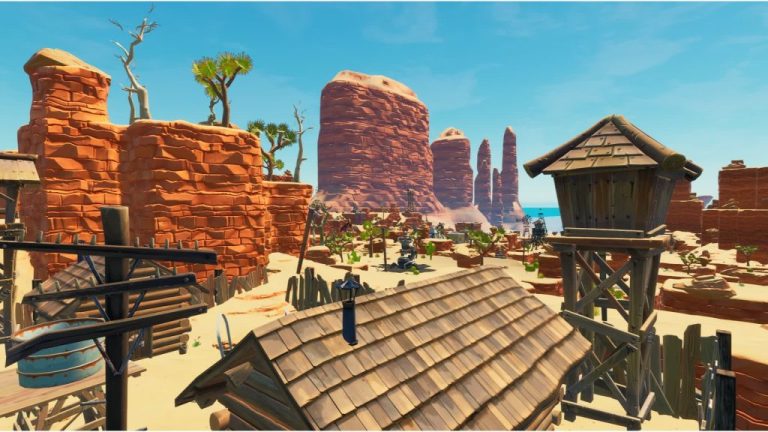
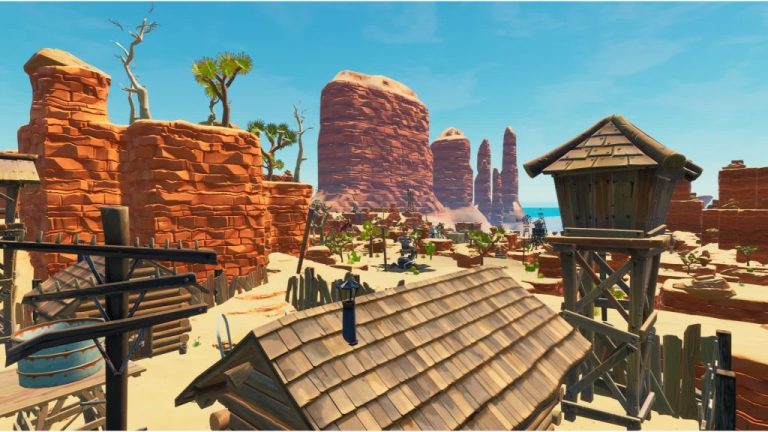
How to start Ventures in Save the World Image Epic Games.
From the Save the World map, open the active seasonal zone. Check your Venture Level, the missions that are unlocked and the current modifier before choosing a difficulty. Starting with a manageable objective gives you time to learn the new backpack without risking an early failure.
- Open Save the World and select the Map tab.
- Choose the active Ventures seasonal zone rather than a campaign region.
- Select a mission you can access at your current seasonal level and check its objective, rewards and difficulty.
- Check the current modifier and choose a Hero loadout that suits the mission.
- Launch, gather materials within that Venture mission and complete the objective to earn seasonal progression.
What is different from a normal Save the World mission?
Your Seasonal Venture Level controls your effective Power and F.O.R.T. stats in the Venture zone. This is separate from your campaign Power, Survivor Squads and Research. You gain Venture XP by playing the seasonal content, and harder mission tiers become available as your level increases.
The backpack is also separate from the campaign. You can find or buy weapons in the Venture world, but you cannot craft weapons from your usual weapon schematics there. You can craft traps using the appropriate seasonal materials. Epic describes these differences in its official Ventures introduction.
What to collect during your first mission
Search containers and gather useful building and crafting materials as you explore. A reliable weapon, enough ammunition and a modest trap reserve are worth more than spending the entire opening mission wandering around for perfect loot. If you discover a Vending Machine, compare the offered weapon with your starter gear before using scarce materials.
Keep an eye on weapon durability. Repair Benches found within Venture missions can extend the life of a good weapon, but repairs consume resources from the Venture backpack. Prioritise finishing the mission objective over farming indefinitely; the Venture XP reward matters most during the early climb.
Common beginner mistakes in Ventures
- Looking for campaign weapons or resources in the Venture backpack; these inventories are separate.
- Trying to craft a campaign weapon instead of scavenging or purchasing a Venture weapon.
- Assuming your campaign Power unlocks all seasonal mission zones.
- Skipping Venture Challenge Quests that could be completed alongside a successful mission.
If you cannot see the mission you expected, check that you selected the current seasonal Venture zone. Higher mission bands are gated by Venture Level, not by your Stonewood or Twine Peaks progress. Our mission unlock guide explains those thresholds without confusing them with campaign levels.
What happens after the first mission?
Return to the Venture map and check your Venture XP bar. Read the active Challenge Quests before your next run, then choose a mission where the quest objective can progress naturally. You do not have to force a difficult alert on the first day: consistent successful missions are a better starting point than failed high-reward attempts.
As your level increases, more demanding missions and reward milestones become available. For an explanation of seasonal Power, see how Venture Power works. If your priority is long-term progression, our Ventures rewards guide covers the seasonal track.
Every Venture season resets the temporary level, backpack and zone access. The gameplay rules can remain familiar, but the active map and its modifier change. Check the seasonal information in-game before following a guide written for a previous zone; for example, Hexsylvania’s Short Range modifier is specific to that 2026 season.
To start Ventures, select the seasonal zone on the map, choose an accessible mission, gather equipment inside the zone and finish the objective. Once you understand the separate Venture Level and backpack, the rest of the season is about building steady XP progress while earning the permanent rewards you want.