How to Give Defenders Custom Weapons in Save the World
How to Give Defenders Custom Weapons in Save the World is much easier once you use the current 2026 menus instead of following an old Save the World guide. The game has changed several progression systems recently, so the useful route is the one that matches the version you can actually open today.
This walkthrough explains how to give defenders custom weapons in save the world, the exact menu path to use, what the current system does and what to check if the option is missing. It also covers the mistakes that usually waste resources or send players into an outdated menu.
How to Give Defenders Custom Weapons in Save the World
How to Give Defenders Custom Weapons in Save the World Image Epic Games.
How to Give Defenders Custom Weapons in Save the World Image Epic Games.
- Open Command and your Hero Loadout.
- Select an equipped Defender.
- Open the Defender weapon option.
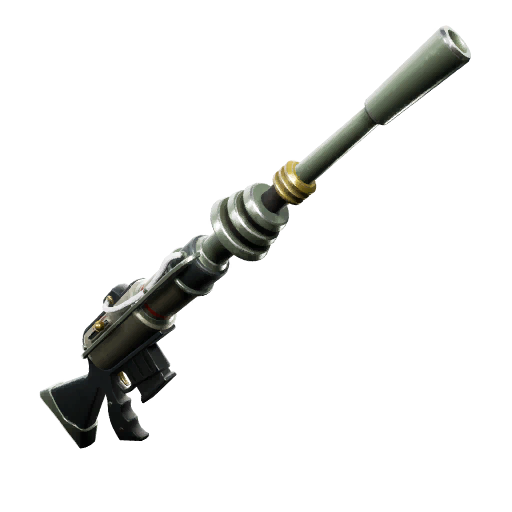
- Choose a weapon Schematic that matches the Defender class.
- Confirm the Schematic and save the loadout.
- Launch a mission and check the weapon the Defender deploys with.
- Remove the Schematic if you want the Defender to return to its default weapon.
What you need before how to give defenders custom weapons in save the world
Before you start how to give defenders custom weapons in save the world, make sure you are working from the current Homebase interface and that the relevant feature has actually been unlocked on your account. Save the World introduces systems gradually, so an absent button often means campaign or account progression rather than a broken menu. Custom Defender weapons were added in v41.00. You equip a class-appropriate weapon Schematic rather than handing over a physical weapon from your Backpack. If no Schematic is selected, the Defender uses its class default weapon. Defender weapons do not consume your ammunition or durability.
The safest way to handle how to give defenders custom weapons in save the world is to make one change at a time and then check the result before spending more resources. That matters especially for Heroes, Survivors, Defenders, Schematics and Collection Book actions because some choices can remove an item from normal use or permanently recycle it.
Current 2026 rules for Defender Weapons
Custom Defender weapons were added in v41.00. You equip a class-appropriate weapon Schematic rather than handing over a physical weapon from your Backpack. If no Schematic is selected, the Defender uses its class default weapon. Defender weapons do not consume your ammunition or durability.
For how to give defenders custom weapons in save the world, avoid advice that still refers to removed systems without checking the date. The free-to-play launch and the v40 progression work changed several menus and currencies, while later 2026 updates continued changing Defenders, Homebase and progression behaviour.
What to do if Defender Weapons is missing or not working
If a Schematic cannot be selected, it may not match the Defender class. Riflemen, Gunslingers, Bruisers, Shotgunners and Snipers each need the appropriate weapon type.
If that still does not solve how to give defenders custom weapons in save the world, close the current menu and reopen it from Homebase before assuming the account is stuck. A newly unlocked quest, loadout slot or reward can sometimes appear after returning to the main Save the World interface, especially immediately after a mission or account-level reward.
Mistakes to avoid
- Do not craft a physical weapon expecting to trade it to the Defender.
- Do not worry about Defender ammunition in the current system.
- Do not assume Hero weapon perks boost Defender damage; Epic says Defenders scale with F.O.R.T. stats and their own level instead.
The main rule with how to give defenders custom weapons in save the world is to protect anything you may still need. Save the World has enough long-term progression that a rushed recycle, retirement, Collection Book slot or voucher-style decision can cost far more time than simply checking the item and the requirement first.
Defender guides written before April 2026 are especially risky for how to give defenders custom weapons in save the world because the old Defender Post system is gone. The current loadout-based Defenders follow players, use no ammo, lose no weapon durability and can be directed with commands.
Quick answer: How to Give Defenders Custom Weapons in Save the World
The short answer to how to give defenders custom weapons in save the world is to follow the menu path above, confirm the feature is unlocked, make the change, and then verify it before spending more resources. Custom Defender weapons were added in v41.00. You equip a class-appropriate weapon Schematic rather than handing over a physical weapon from your Backpack. If no Schematic is selected, the Defender uses its class default weapon. Defender weapons do not consume your ammunition or durability.
For the current official Save the World information behind how to give defenders custom weapons in save the world, use the official Epic Games Save the World information. Epic has made substantial progression changes during 2026, so current first-party notes are particularly useful when an older guide shows a different menu or resource name.