How to Start Wargames in Save the World
How to Start Wargames in Save the World begins at the Storm Shield console. Wargames uses your permanent Homebase defenses and applies a simulation modifier such as Torn Apart, Denied, Safety Zone or one of the later rotating scenarios. It is not launched from an ordinary mission node.
A standard Wargames run has two timed defenses. The first lasts seven minutes at the Storm Shield, then a random amplifier is selected for another seven-minute defense. Time Cheats can appear during the simulation and reduce the active timer. How to Start Wargames in Save the World is simple in the menu, but you should prepare both the main shield and every amplifier that might become Wave 2.
How to Start Wargames in Save the World
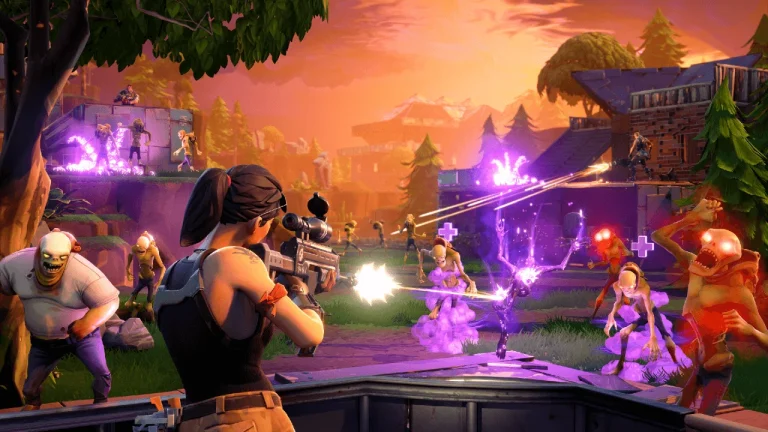
How to Start Wargames in Save the World Image Epic Games.
- Enter one of your Homebase Storm Shields.
- Interact with the Storm Shield computer.
- Choose Wargames from the available Storm Shield activities.
- Select the simulation and any available challenge required by your quest or Daily Wargames objective.
- If you want teammates, use the assistance option before starting.
- Check that the Storm Shield and all possible Wave 2 amplifiers have viable defenses.
- Start the simulation and defend the Storm Shield for the first timed wave.
- Move to the randomly selected amplifier for the second timed wave.
How the two Wargames waves work
Epic’s original Wargames rules use a seven-minute first defense followed by seven minutes at a random amplifier. This means building only the Storm Shield is not enough. The second target can expose an amplifier you have not touched since an old SSD.
How to Start Wargames in Save the World successfully means checking every valid amplifier before the run. If one amplifier has an open spawn-side route, the simulation can choose it and turn an otherwise easy first wave into a failure.
Time Cheats and the mission timer
Time Cheats appear around the environment during Wargames. Collecting one reduces the active simulation timer, so a mobile player can shorten the defense while the base handles normal husks. They are optional, but useful when the fort is stable.
Do not leave the objective undefended just to chase a distant Time Cheat. In modifiers such as Mist Pods, Invasion or Quantum Countdown, the special threat has higher priority because ignoring it can destroy the fort much faster than the saved timer helps.
Solo Wargames is less forgiving
Wargames has a harsher downed-player rule than normal missions. Epic notes that another player must revive you when your health is depleted; if everyone is down, the Wargame fails. When playing solo, that effectively means one life for the simulation.
For How to Start Wargames in Save the World solo, choose a mobile Hero, avoid standing in trap tunnels where enemies can surround you, and treat environmental hazards as lethal. A good base should let you focus on staying alive and handling the modifier.
Choose the simulation around the objective
If a Daily Wargames quest names a specific simulation, select that exact simulation rather than simply running the easiest one. Some daily quests also apply a separate challenge, so read both lines before pressing Start.
How to Start Wargames in Save the World becomes much easier after you have one reliable Storm Shield layout. The permanent base stays available between simulations, letting you improve the same weak lanes instead of rebuilding from scratch every run.
Quick answer: How to Start Wargames in Save the World
How to Start Wargames in Save the World is done from the Storm Shield console. Choose the required simulation, prepare every possible amplifier, then defend seven minutes at the Storm Shield and seven minutes at a randomly selected amplifier, using Time Cheats to shorten the timer when it is safe to collect them.
For the original rules behind How to Start Wargames in Save the World, see the official Fortnite Save the World information.
If How to Start Wargames in Save the World is still failing, run one attempt as a diagnosis: note the exact amplifier, hazard, spawn route or objective that causes the failure, then change only that part of the build before starting again. That is faster than rebuilding the entire Storm Shield after every loss.